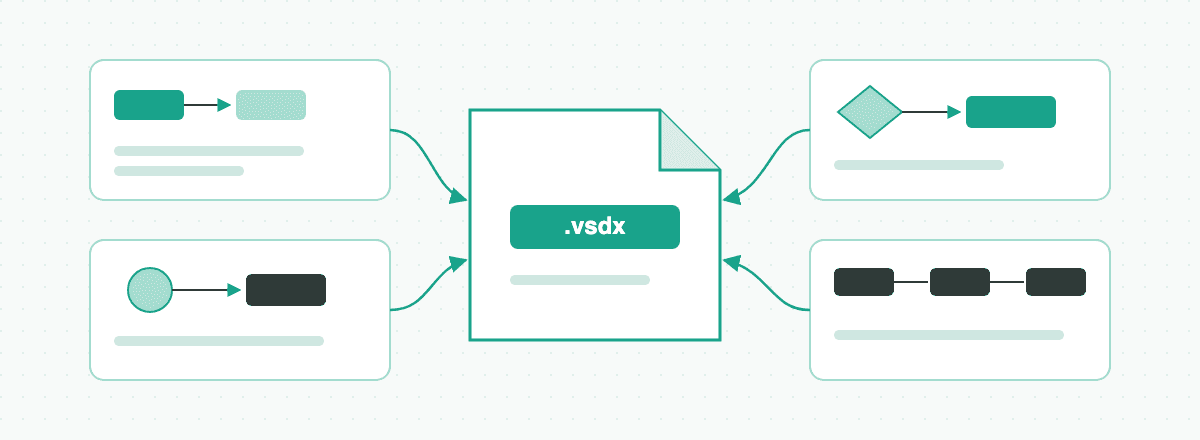
Are There AI Tools That Automatically Generate Visio Flowcharts? Visio Copilot, draw.io, ProcessOn, EdrawMax & AI VSDX Generators Compared (2026)
Compare 7 ways to generate editable Visio flowcharts automatically—including Visio Copilot / Data Visualizer, draw.io, ProcessOn, EdrawMax, Lucidchart, chat AI + Mermaid, and VSDX.ai.
Looking for an AI tool that automatically generates an editable Microsoft Visio flowchart: if your workflow already lives in a strictly formatted Excel table and spreadsheet edits must refresh the chart automatically, use built-in Data Visualizer in Visio Plan 2 on Windows; if .vsdx handoff is optional and you want browser co-editing or ready-made templates, teams commonly reach for Lucidchart, EdrawMax, or ProcessOn (widely used by Chinese-speaking teams), while zero-budget users pick free, open-source draw.io. Engineers who track documentation in Git can ask ChatGPT, Claude, or DeepSeek for Mermaid code and convert it; if you have a document, spreadsheet, image, audio recording, or text description and want AI to produce a native, editable .vsdx flowchart, swimlane diagram, or BPMN map you can keep editing in the browser, use VSDX.ai (vsdx.ai). Before choosing, clarify whether your project requires real .vsdx shapes and glued connectors, live two-way Excel sync, or simply a quick diagram image.
Clarify Three Commonly Confused Needs First
When engineering, operations, or research teams ask whether AI can build a Visio flowchart automatically, three different deliverables usually get lumped together:
- Documents, spreadsheets, or audio → native editable
.vsdxfiles (this guide's focus): Clients, quality auditors, IT governance boards, or co-authors explicitly request a.vsdxsource file where every process rectangle, decision diamond, swimlane, and glued connector can be dragged and reworded individually—not a flat PNG pasted onto a blank Visio page. Starting material is typically a multi-page Word or PDF standard operating procedure (SOP), an Excel checklist, a legacy screenshot, or a recorded process interview (see What is a .vsdx file, and how do you open one? for package internals and viewing options). - Structured Excel tables with two-way data sync: Many tutorials about "automated Visio flowcharts" actually describe Data Visualizer, a data-driven wizard where humans first format columns (
Step ID,Next Step ID,Connector Label,Department) inside Excel so future cell edits refresh the diagram automatically (for a dedicated comparison of spreadsheet and SOP swimlane workflows, read How to Turn Excel or Word Processes into Visio Swimlane Diagrams). - Fast browser diagramming or diagram-as-code (no
.vsdxrequired): Internal sprint reviews, slide decks, and repository READMEs usually need clean PNG, SVG, or PDF exports—or plain-text Mermaid source under version control—rather than round-trip.vsdxfile exchange. Standard online diagramming boards or code renderers are lighter here (if you do not need AI generation and just want a manual editor, see Visio Alternatives: 6 Options and What Each Is Good For).
7 Automated and AI Flowchart Tools Compared
Here is how the seven most common tools and pipelines compare across target users, learning curve, pricing model, Chinese interface support, export formats, and practical limitations:
| Tool / Workflow | Best For | Learning Curve | Pricing | Chinese UI | Output / Export Formats | Limitations |
|---|---|---|---|---|---|---|
| Visio Copilot / Data Visualizer | Organizations on Windows desktop Visio Plan 2 generating flowcharts or swimlanes from strict Excel logs with two-way sync | Medium–High | Paid subscription (Data Visualizer requires Visio Plan 2; enterprise Copilot requires separate licensing) | Yes | Native .vsdx, PDF, PNG, SVG | Built-in automation relies on strictly structured Excel columns rather than turning long Word, PDF, or audio files into diagrams in one step; macOS has web access only (no native desktop app); the standalone Excel add-in is retired, so workflows start from desktop Visio |
| draw.io | Zero-budget, cross-platform users (Windows, macOS, Linux) drawing diagrams manually, importing code, or lightly editing .vsdx | Low–Medium | Free and open source (both web and desktop apps are free) | Yes | .drawio, XML, SVG, PDF, PNG (imports .vsdx; .vsdx export depends on build or external converter) | Cannot automatically read multi-page Word SOPs, PDF policies, or recordings to extract decision logic; default styling is utilitarian, and uncommon custom Visio stencils may simplify into basic shapes on import |
| ProcessOn | Browser-first teams wanting quick prompt-assisted flowcharts and localized Chinese business templates with link sharing | Low | Free tier (with file count or export limits) + paid membership subscription | Yes (native Chinese) | PNG, JPG, PDF, SVG, POS (supports importing some Visio files) | Requires an active internet connection; AI generation targets short topic prompts for online charts rather than parsing multi-file Word, Excel, and audio sources into grounded native .vsdx deliverables |
| EdrawMax | Desktop-and-web users wanting broad industry symbol libraries and built-in AI helpers for everyday office diagrams | Low–Medium | Free trial tier (with quota or watermark limits) + paid subscription or perpetual license | Yes (native Chinese) | EDDX, .vsdx, PDF, PNG, SVG, Office formats (varies by edition and plan) | AI features focus on short-prompt flowcharts or mind maps without per-node source-document evidence checks across multi-file inputs; complex styling exported to .vsdx may need minor connector cleanup in Visio |
| Lucidchart | Distributed product and engineering teams needing real-time multi-cursor editing, comments, and browser .vsdx exchange | Low–Medium | Free tier (with shape count and feature limits) + paid subscriptions | No (English and other UIs; Chinese text works inside shapes) | .vsdx, PDF, PNG, SVG (varies by subscription tier) | No Simplified Chinese interface menus, and CJK typography sometimes needs manual font adjustments; while it supports prompt-assisted diagramming and Visio import/export, long prose SOPs still require manual step decomposition |
| General chat AI → Mermaid → converter | Developers and researchers comfortable with prompts and text syntax drafting clean, moderate-branch workflows | Medium | Chat AI apps offer free and paid tiers; Mermaid syntax is free and open source; .vsdx conversion varies by tool | Varies by chat app; Mermaid keywords are English | Mermaid plain-text code (requires renderer or converter for SVG, PNG, or .vsdx) | Conversational LLMs cannot write valid .vsdx archives directly; multi-lane and cyclic loop layouts look rigid; re-prompting often scrambles existing node positions across copy-paste steps |
| VSDX.ai | Users with documents, spreadsheets, images, audio recordings, or text descriptions who want native editable .vsdx flowcharts, swimlanes, or BPMN maps editable in the browser | Low | 20 welcome credits on sign-up (30-day expiry; 10 credits per generation or AI edit); annual plans as low as $10/month (Pro at $120/year billed upfront with credits issued monthly, or from $20/month monthly); credit packs from $20 (300 credits, valid 90 days); cards and Alipay via Stripe checkout (as shown at checkout) | Yes | Native .vsdx, .drawio, PNG, SVG | Downloading native .vsdx requires an active paid subscription or at least one credit pack purchase (PNG, SVG, and .drawio export free on all accounts); AI plans must be confirmed and decision branches and lane ownership verified by a human; no live two-way sync with Excel; does not support legacy .vsd, .xls, or .doc |
Collaborative whiteboards such as Miro or Boardmix also surface in AI tool roundups, though their strength lies in freeform workshops and sticky-note brainstorming rather than structured .vsdx engineering handoff.
In practice, picking the fastest route comes down to what sits on your desk right now:
- You maintain a clean, column-disciplined Excel sheet that must stay linked to chart updates: Use Visio Plan 2 Data Visualizer on Windows desktop.
- Nobody asked for a
.vsdxfile and you just want quick online diagrams or templates: Pick draw.io for free open-source editing, Lucidchart for live team collaboration, or EdrawMax / ProcessOn for template-heavy office charts. - Documents, spreadsheets, or audio → native
.vsdx: Upload your source files into VSDX.ai Studio to extract a grounded plan and refine it in the browser—or, if an LLM already drafted diagram syntax, paste it into Mermaid to Visio for one-step.vsdxconversion.
How to Choose by Scenario
1. Turning Multi-Page Word / PDF SOPs or Meeting Recordings into Required .vsdx Deliverables
In enterprise rollouts, ISO or GMP quality audits, government IT projects, and research documentation, operational rules rarely start as neat tables—they sit inside twenty-page .docx or .pdf manuals and recorded stakeholder interviews, while reviewers still demand editable .vsdx files for archival. For a linear seven-step procedure, dragging boxes manually in Microsoft Visio or draw.io takes ten minutes and beats any automation setup. Once a workflow spans twenty-five steps, nested rejection loops, and four departments, manual transcription routinely drops edge cases buried in footnotes. Uploading documents (up to 20 MB per file; PDFs up to 100 pages) or audio recordings (up to 8 files and 40 MB total per request) into VSDX.ai Studio lets you inspect the extracted plan and source evidence first, then render an editable flowchart, swimlane map, or BPMN diagram ready for .vsdx export (for an architectural look under the hood, read AI Visio Diagram Generator: How VSDX.ai Works).
2. Converting Steps Already Drafted in ChatGPT, Claude, or DeepSeek into Visio Without Redrawing
Many engineers brainstorm process logic inside a general chat assistant first, only to hit a wall when asking for a downloadable Visio file—conversational models output text tokens, not valid Open Packaging Conventions XML archives (compare all three current conversion pipelines in Can ChatGPT Make Visio Diagrams? 3 Current Routes). For standard sequential or branching logic, ask the chat model for flowchart TD or graph LR syntax and paste it into Mermaid to Visio (10 credits per run; flowcharts only) to obtain a laid-out native .vsdx file immediately. When responsibilities cross multiple departments, ask the assistant for a PlantUML activity diagram with |Swimlane| partitions instead and run PlantUML to Visio (10 credits per run; activity diagrams only), which preserves lane boundaries far cleaner than nested Mermaid subgraphs.
3. Working from Standardized Excel Logs—or Rebuilding Lost Diagrams from Screenshots and Whiteboards
When an operations team already curates strict Step ID, Next Step ID, and Role columns in Excel and updates rows weekly, desktop Visio Plan 2 Data Visualizer remains purpose-built for live synchronization. If your spreadsheet actually lists reporting lines (Name, Manager, Title) rather than sequential actions, skip flowchart tools altogether and use Visio's Org Chart Wizard or Excel to Org Chart. Conversely, when legacy .vsdx source files vanish and all that survives is a crisp PNG, JPG, or WebP screenshot inside an old PDF, an exported slide, or a straight-on whiteboard photo, Image to Visio (10 credits per run) recognizes boxes, arrows, colors, and labels in place so you can edit text and connectors instead of tracing from scratch.
4. Browser-Only Team Reviews, Localized Templates, or Working on macOS Without Desktop Visio
Whenever .vsdx delivery is optional, Lucidchart excels at real-time multi-cursor reviews, EdrawMax and ProcessOn provide extensive localized template libraries, and draw.io runs free online or offline across Windows, macOS, and Linux. Because Microsoft does not ship a native macOS desktop Visio app, Mac users who receive .vsdx attachments from colleagues can convert them locally in the browser using the free, no-login Visio to draw.io tool (modern .vsdx only, not legacy binary .vsd), make edits, and convert back via draw.io to Visio when returning the file.
Worked Examples: Documents and Audio Recordings to Editable .vsdx
Below are two practical workflows in VSDX.ai Studio demonstrating how unstructured policy documents and recorded interviews become verified, editable .vsdx diagrams.
Example 1: PDF Change-Control Policy to a Closed-Loop Flowchart or BPMN Diagram
Suppose a platform engineering team maintains a 12-page production-change-control.pdf describing two paths: submitting a change ticket triggers automated regression testing (failures return to engineering for fixes); passing tickets undergo risk classification—low-risk standard changes enter the release window directly, whereas high-risk changes route to the Architecture Review Board (rejected proposals either terminate or loop back for redesign); canary deployment follows, where healthy telemetry closes the ticket and anomaly alerts trigger automated rollback plus a postmortem.
Open VSDX.ai Studio in Generate from content mode, select Flowchart (or BPMN if you want explicit timer and error-interrupt semantics), drop in the PDF, and prompt:
Build a top-to-bottom flowchart from this change-control PDF. Keep the failed-test rework loop, low- vs. high-risk classification diamond, architecture review rejection branches, and canary rollback path. Flag any ambiguous condition for confirmation rather than inventing extra steps.Studio analyzes the PDF and presents a structured plan linked to specific pages and paragraphs. Once confirmed (10 credits), the deterministic layout engine places shapes and obstacle-avoiding connectors onto the embedded draw.io canvas.
Example 2: Recorded Process Interview + CSV Status Table to a Cross-Functional Swimlane Map
During system migrations or support audits, teams rarely have a single up-to-date manual—instead, they hold a 15-minute troubleshooting recording (returns-triage-interview.m4a) alongside a database export (ticket-status-codes.csv). In a single Studio project, drag both files into the source panel (up to 8 files per request, 20 MB per file, 40 MB combined), choose Swimlane, and enter:
Combine the interview audio transcript and ticket-status CSV into an as-is cross-functional swimlane diagram for product returns. Create four lanes—Customer, Support Triage, Warehouse QC, and Finance Refund System. Map only confirmed current steps, list proposed future changes separately outside the diagram, and flag any mismatch between spoken rules and CSV status codes.Studio transcribes the audio automatically and reconciles spoken handoffs against CSV status rows, preserving timestamps and cell references so reviewers catch undocumented workarounds before rendering shapes.
Step 3: Verify Evidence, Refine on the Canvas, and Export .vsdx
Treat every AI-generated diagram as a structured first draft and finish with three checks:
- Audit decision branches and lane ownership against source evidence: Inspect every decision diamond's
Yes / Nolabels, threshold operators, rework arrow targets, and swimlane assignments against the cited PDF paragraphs, spreadsheet cells, or audio timestamps. - Combine free manual tweaks with targeted AI revisions: Dragging boxes, resizing lanes, or restyling fonts inside the embedded draw.io editor uses zero credits; asking the assistant in plain language to add an approval gate or reroute a branch uses 10 credits and saves a numbered version you can restore anytime.
- Export the deliverable format your stakeholders need: PNG, SVG, and
.drawiofiles download free on every account; once your account has an active paid subscription or at least one credit pack purchase, click Export VSDX to download a native.vsdxpackage with editable Visio shapes and glued connectors (see Pricing).
5 Common Mistakes When Generating Visio Flowcharts with AI
- Asking a chat window for a raw
.vsdxdownload—or wrapping a flat PNG inside.vsdx: Because.vsdxis a multi-part XML ZIP archive with strict geometry and connection schemas, raw files improvised by chat models usually fail to open in Visio, while pasting a static image into a Visio page leaves recipients unable to edit a single word. Always route through a real diagram-code converter or native shape generator. - Skipping plan verification and missing "No / Rejected" exits on decision diamonds: Exception clauses tucked into end-of-paragraph parentheses are easy to overlook, leaving decision diamonds with only a happy-path arrow or placing a requester step inside an approver's lane. Verify that every decision node has at least two labeled outgoing connectors.
- Stuffing full policy paragraphs into process boxes: Multi-sentence blocks become unreadable at page scale and force awkward connector detours. Keep node text to concise
Verb + Objectphrases (such asVerify vendor compliance) and leave detailed SLA rules in the SOP or short connector labels. - Mixing current ("as-is") operations with future ("to-be") ideas in one chart: Meeting recordings naturally blend today's manual steps with next quarter's planned automation. Prompt explicitly for the current workflow only—or maintain separate baseline and target versions—so you do not publish a hybrid process that does not exist.
- Uploading legacy binary
.vsd,.xls, or.docfiles—or unsupported diagram code types: Modern XML pipelines reject older binary containers—for instance, VSDX.ai does not support.vsd,.xls, or.doc, while Mermaid to Visio supportsflowchart/graphsyntax only and PlantUML to Visio supports activity diagrams only. Re-save legacy Office and Visio files as.xlsx,.docx, or.vsdxbeforehand.
Frequently Asked Questions (FAQ)
Does Microsoft Visio have a built-in AI feature that draws flowcharts from a text prompt?
In standard enterprise deployments, Visio's established automated flowcharting feature is Data Visualizer in the Visio Plan 2 desktop app, which is spreadsheet-driven rather than prose- or audio-driven: you populate strict Step ID, Next Step ID, and Department columns in Excel to generate and sync diagrams (note that the standalone Data Visualizer add-in inside Excel is retired, so workflows launch from desktop Visio). When starting from Word or PDF SOPs, recordings, or plain-language descriptions, extracting a diagram in VSDX.ai Studio or converting LLM-drafted syntax via Mermaid to Visio avoids manual spreadsheet encoding.
How can I draw flowcharts or open .vsdx files for free—especially on macOS?
When .vsdx output is optional, draw.io is completely free and open source on the web and across Windows, macOS, and Linux, exporting watermark-free SVG, PDF, and PNG files. On macOS (where no native desktop Visio app exists), you can open .vsdx files in draw.io or convert them locally in your browser without logging in via free Visio to draw.io and Visio to Image tools. To test AI document-to-diagram generation, new VSDX.ai accounts receive 20 welcome credits (expiring in 30 days; 10 credits per generation or AI edit, enough for roughly 2 runs), with free PNG, SVG, and .drawio exports.
Are .vsdx files exported from VSDX.ai genuinely editable in Microsoft Visio, and what does downloading cost?
Yes. Exported .vsdx packages contain real Visio shape records and glued connectors, so dragging a box moves attached arrows automatically and every label or fill color remains editable in both Microsoft Visio and draw.io. Manual canvas edits plus PNG, SVG, and .drawio downloads are free on all accounts; downloading native .vsdx requires an active subscription—Pro is as low as $10/month billed annually ($120/year upfront with 300 credits issued monthly, or $20/month billed monthly, alongside Business and Team tiers)—or at least one credit pack purchase (from $20 for 300 credits, valid for 90 days), with card and Alipay support via Stripe checkout as shown on Pricing.
Can AI turn an old flowchart screenshot or whiteboard photo into an editable Visio file?
Yes. When original .vsdx files are lost and only a legible PNG, JPG, or WebP screenshot, slide export, or straight-on whiteboard photo remains, upload it to Image to Visio (10 credits per run) or VSDX.ai Studio to reconstruct shapes, connectors, colors, and editable text in their original layout.
What accuracy and privacy checks matter before uploading internal SOPs or recordings?
For accuracy, treat AI output as a draft: confirm the proposed plan first and manually verify decision branches, threshold symbols, and swimlane ownership against source citations—and remember that exported .vsdx files do not maintain live two-way sync with Excel. For data governance, project sources in VSDX.ai are stored privately and cleaned up when a project is deleted, but teams should still redact personal data and confidential credentials before uploading; see the Privacy Policy for full details.
Author

Categories
.vsdx Deliverables2. Converting Steps Already Drafted in ChatGPT, Claude, or DeepSeek into Visio Without Redrawing3. Working from Standardized Excel Logs—or Rebuilding Lost Diagrams from Screenshots and Whiteboards4. Browser-Only Team Reviews, Localized Templates, or Working on macOS Without Desktop VisioWorked Examples: Documents and Audio Recordings to Editable .vsdxExample 1: PDF Change-Control Policy to a Closed-Loop Flowchart or BPMN DiagramExample 2: Recorded Process Interview + CSV Status Table to a Cross-Functional Swimlane MapStep 3: Verify Evidence, Refine on the Canvas, and Export .vsdx5 Common Mistakes When Generating Visio Flowcharts with AIFrequently Asked Questions (FAQ)Does Microsoft Visio have a built-in AI feature that draws flowcharts from a text prompt?How can I draw flowcharts or open .vsdx files for free—especially on macOS?Are .vsdx files exported from VSDX.ai genuinely editable in Microsoft Visio, and what does downloading cost?Can AI turn an old flowchart screenshot or whiteboard photo into an editable Visio file?What accuracy and privacy checks matter before uploading internal SOPs or recordings?More Posts
Visio Alternatives for .vsdx Files: 6 Compared
Visio alternatives compared, from free draw.io to Lucidchart, by the question that decides it: do you need to open and send back .vsdx files?
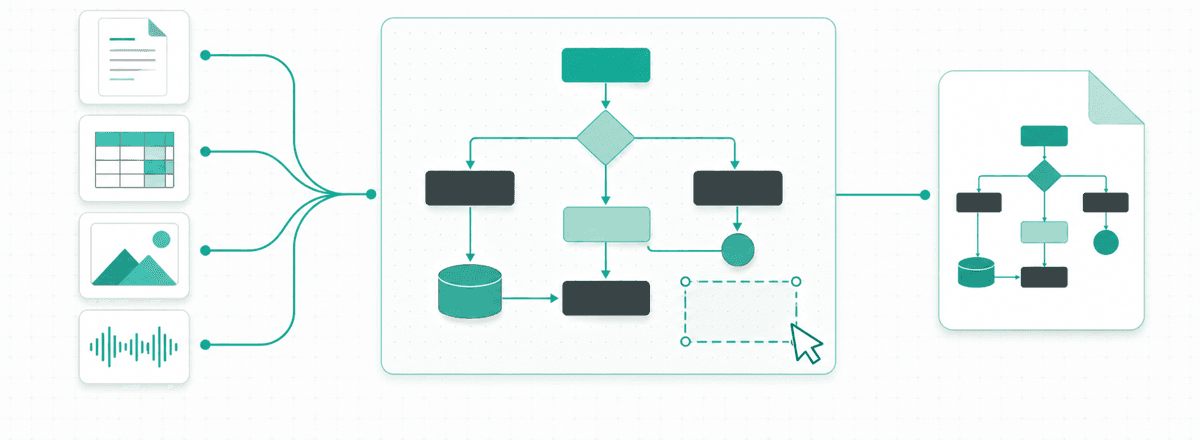
How to Turn Excel or Word Processes into Visio Swimlane Diagrams: Data Visualizer, draw.io, ProcessOn & AI Tools Compared (2026)
Compare 7 ways to convert an Excel process sheet or Word SOP into an editable Visio swimlane diagram—including Visio Plan 2 Data Visualizer, draw.io, Lucidchart, ProcessOn, Mermaid, and VSDX.ai.
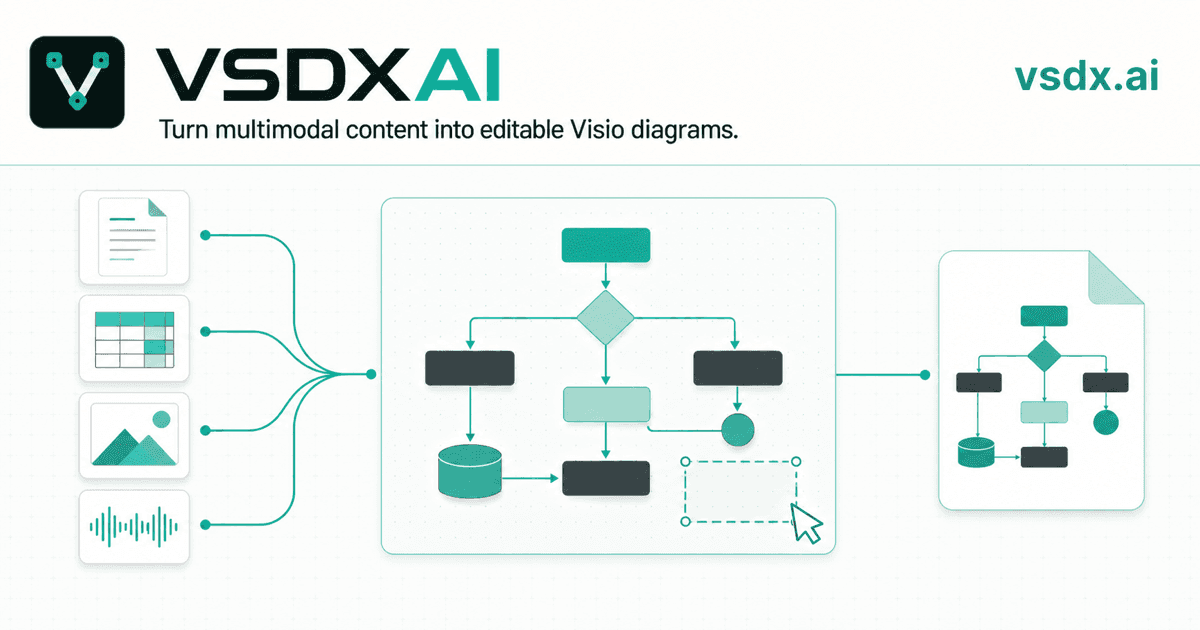
AI Visio Diagram Generator: How VSDX.ai Works
Learn how VSDX.ai turns PDFs, Word, Excel, images and audio into editable diagrams, then exports native Visio .vsdx files.
Newsletter
Join the community
Subscribe to our newsletter for the latest news and updates